 RunRoute
Every run starts at your front door.
RunRoute plans a running loop from home — through nearby parks and places worth passing — and back again. Free, no account needed.
Works anywhere Google Maps does.
How it works
Three steps from your address to a route you can run.
-
Set your start
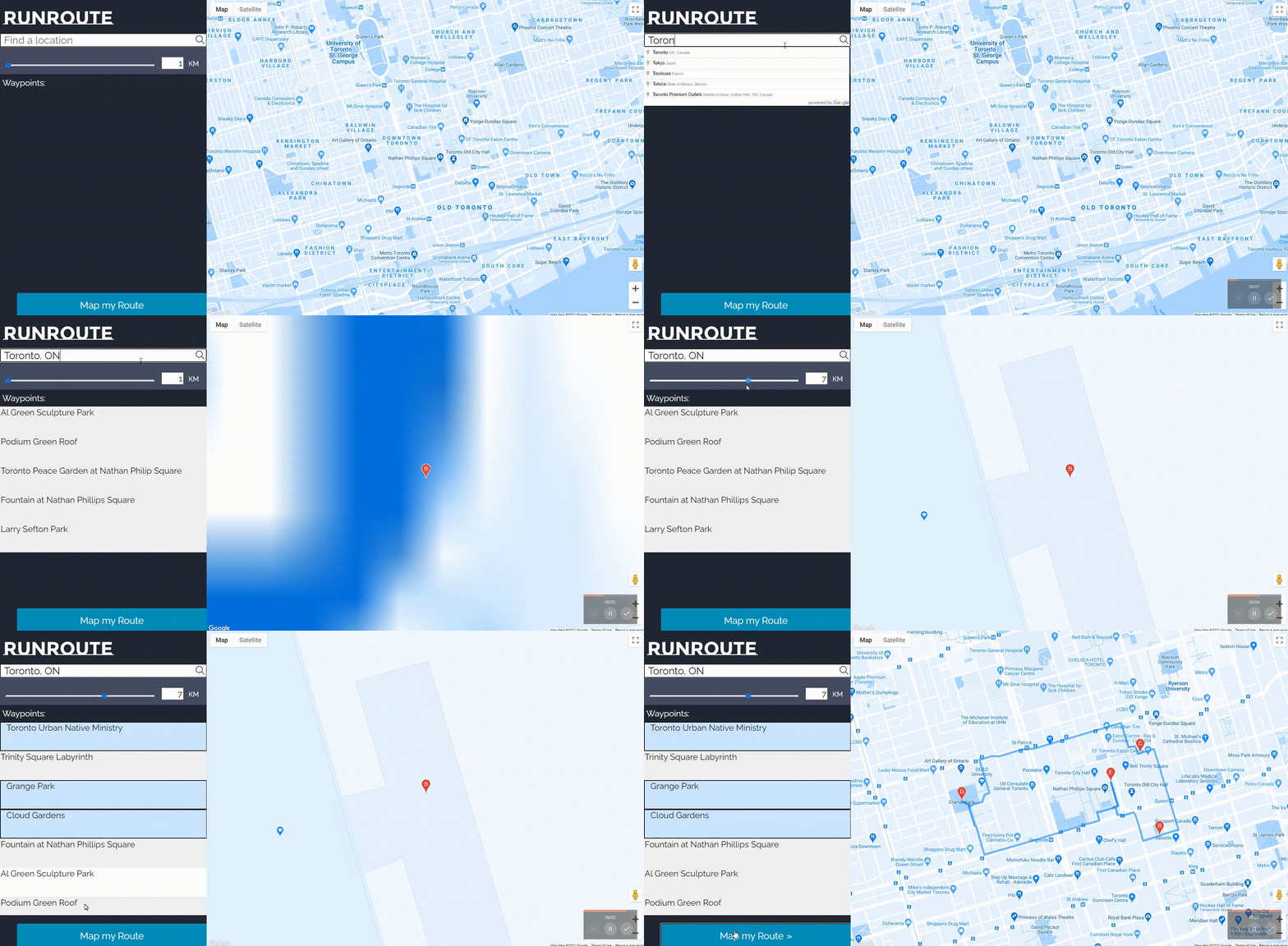
Type your address, or let RunRoute use your current location. Your start is also your finish — every route is a loop.
-
Pick your places
Choose a search radius and tap the nearby parks, sights and cafés you'd like your run to pass.
-
Run the loop
Get a door-to-door route with distance and time. Drag it to fine-tune, export a GPX, or share the link.
Built for runners who start at home
No treadmill, no driving to a trailhead. Just out the door and back.
Door-to-door loops
Every route begins and ends at your place, so you never finish a run far from home.
Places worth passing
Search nearby parks, attractions, cafés and gyms, and thread your run through your favourites.
Drag to customize
Reshape any leg of the route by dragging it on the map, exactly like Google Maps directions.
Distance & time
Live stats for every route — kilometres, miles and an estimated time at your own pace.
GPX export
Download your loop as a GPX file and take it to your watch, Strava, Komoot or Garmin.
Shareable routes
Copy a link that rebuilds your exact loop, ready to send to a running buddy.